Session Comparison
Session comparison lets you view multiple sessions side by side, making it easy to spot performance differences across devices, app versions, or test runs.
Starting a Comparison
To compare sessions:
- Go to the Sessions page.
- Select two or more sessions using the checkboxes in the session table.
- Click the Compare button in the toolbar.
The comparison view opens in a new tab.
Comparison Table
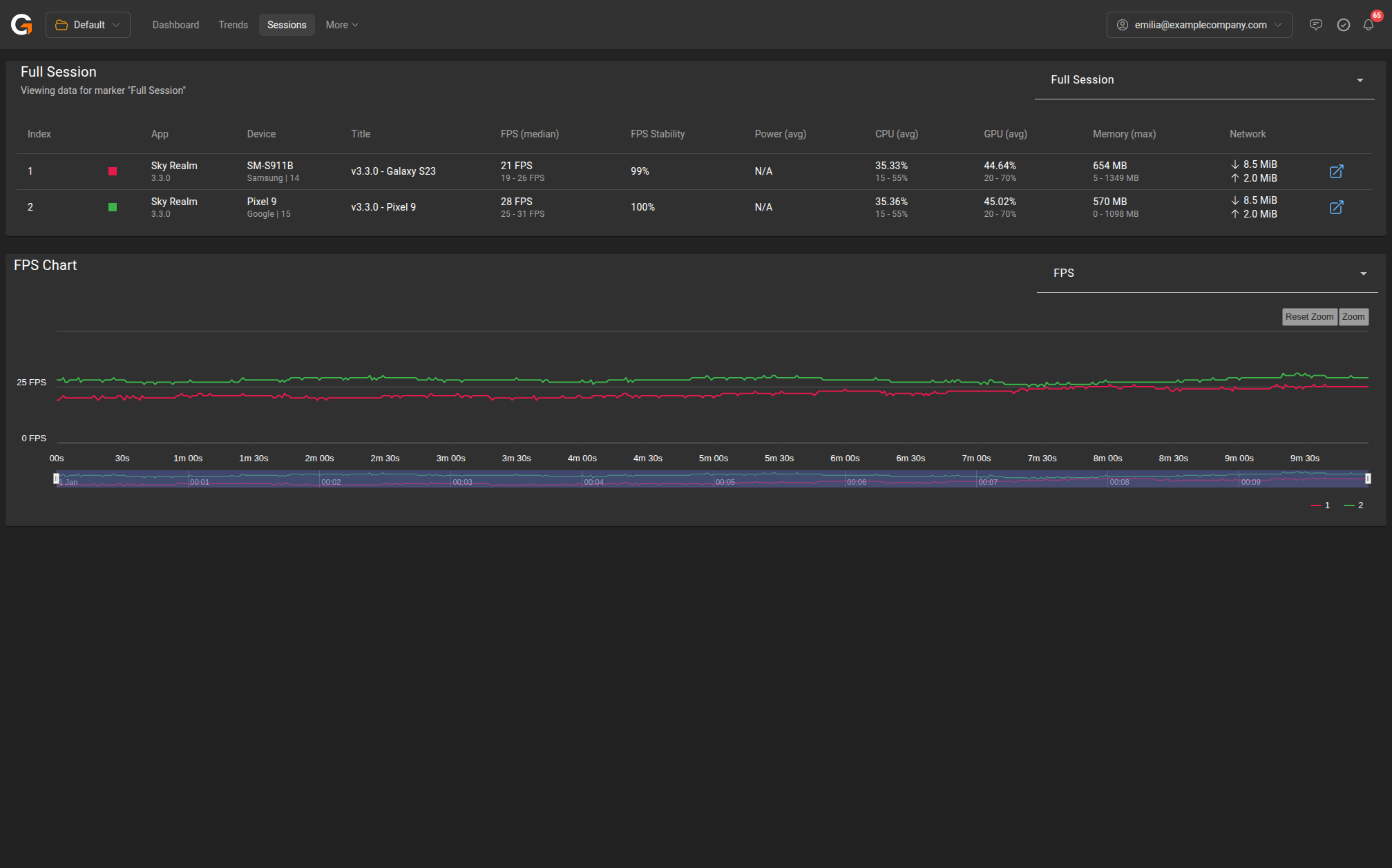
The top section displays a summary table with one row per selected session. Columns include:
| Column | Description |
|---|---|
| Index | Session number (used as legend label in charts) |
| App | Application name and version |
| Device | Device model, manufacturer, and OS version |
| Title | Session title |
| FPS (median) | Median frame rate with min-max range |
| FPS Stability | Percentage of time within target FPS range |
| Power (avg) | Average power draw |
| CPU (avg) | Average CPU usage with min-max range |
| GPU (avg) | Average GPU usage with min-max range |
| Memory (max) | Peak memory usage with min-max range |
| Network | Total data downloaded and uploaded |
Click the link icon on any row to open that session’s full detail view.
Marker Selection
Use the Full Session dropdown at the top right to switch between viewing the full session or a specific marker region. If your sessions share common marker names, you can compare the same gameplay segment across sessions.
Comparison Chart
Below the table, an overlaid chart shows the selected metric for all compared sessions on the same timeline. Each session is colour-coded and numbered to match the table.
Use the metric dropdown (default: FPS) to switch between:
- FPS
- CPU Usage
- GPU Usage
- Memory Usage
- Network Usage
- Battery
The chart supports zoom and reset controls for detailed inspection.
Tips
- Compare sessions on the same device with different app versions to isolate the impact of code changes.
- Compare sessions on different devices with the same app version to identify device-specific performance issues.
- Use markers with consistent names across sessions to compare specific gameplay segments like “Boss Fight” or “Main Menu”.